没啥好说的,直接上现阶段的HTML代码,后续修改,再更新该篇博客。
record.html:
<!DOCTYPE html>

<html>
 <head>
 <meta charset="utf-8"/>
 <meta http-equiv="X-UA-Compatible" content="IE=edge"/>
 <meta name="viewport" content="width=device-width, initial-scale=1.0, maximum-scale=1.0, user-scalable=no"/>
 <meta name="keywords" content="PONPON,HTK,Go语言"/>
 <meta name="description" content="基于Beego开发语音识别演示系统"/>
 <meta name="generator" content="PONPON" />

 <link href="/static/css/bootstrap.min.css" rel="stylesheet">
 <link href="/static/css/docs.css" rel="stylesheet">
 <link href="http://cdn.bootcss.com/highlight.js/7.3/styles/github.min.css" rel="stylesheet">
 <link rel="shortcut icon" href="/static/img/Logoicon.jpg">

 <link rel="stylesheet" href="http://libs.baidu.com/fontawesome/4.0.3/css/font-awesome.min.css"/>
 <link rel="alternate" type="application/rss+xml" href="/rss.xml"/>

 <script type="text/javascript" src="/static/lib/recorder.js"> </script>
 <script type="text/javascript" src="/static/lib/jquery-1.10.1.min.js"> </script>
 <script type="text/javascript" src="/static/lib/recController.js"> </script>


<title>WebHTK 演示系统</title>
 </head>
 <body>
 <nav id="header">
 <div class="container960 text-center" >
 <h3 id="header-h" class="center" >闽南语 - 语音识别演示系统</h3>


 <ul id="resultbox" class="center" style="padding-top:425px;font-size:20px;text-align: center;color:#FFC8B6;font-family:'微软雅黑'">
 <li >识别结果</li>
 </ul>

 <form style="padding-top:20px;">
 <a id="img" href="javascript://" >
 <img src="/static/img/aa.png" style="width:85px;height:85px;" alt=""/>
 </a>
 </form>
 <div id="message" style="padding-top:10px;font-size:16px;color:#F5FFFA;text-align: center;font-family:'微软雅黑'">点击麦克风,开始录音!</div>

 <script type="text/javascript">

 var recording = false;

 function test() {
 if (!recording) {
 document.getElementById("img").innerHTML="<img src='/static/img/a1.png' style='width:85px;height:85px;'' alt=''/>";
 toRecord();
 recording=true;
 }else{
 document.getElementById("img").innerHTML="<img src='/static/img/aa.png' style='width:85px;height:85px;'' alt=''/>";
 toSend();
 recording = false;
 }
 };

 function toRecord(){
 rec.record();
 var dd = ws.send("start");
 $("#message").text("再次点击,结束录音!");
 intervalKey = setInterval(function() {
 rec.exportWAV(function(blob) {
 rec.clear();
 ws.send(blob);

 });
 }, 300);
 }


 function toSend(){
 rec.stop();
 if (intervalKey == null) {
 $("#message").text("请先录音再发送!");
 return
 };
 ws.send(sampleRate);
 ws.send(channels);
 ws.send("stop");
 rec.clear();
 clearInterval(intervalKey);
 intervalKey = null;

 }

 </script>
 </div>
 </nav>

 <audio class="hide" controls autoplay></audio>
 </body>
</html>
recorder.js:
(function(window) {

 var WORKER_PATH = '/static/lib/recorderWorker.js';

 var Recorder = function(source, chan, cfg) {
 var config = cfg || {};
 var channels = chan || 1;
 var bufferLen = config.bufferLen || 8192;
 this.context = source.context;

 this.node = this.context.createJavaScriptNode(bufferLen, channels, channels);
 var worker = new Worker(config.workerPath || WORKER_PATH);
 worker.postMessage({
 command: 'init',
 config: {
 sampleRate: this.context.sampleRate
 }
 });
 var recording = false,
 currCallback;

 this.node.onaudioprocess = function(e) {
 if (!recording) return;
 worker.postMessage({
 command: 'record',
 buffer: [
 e.inputBuffer.getChannelData(0)
 ]
 });
 }

 this.configure = function(cfg) {
 for (var prop in cfg) {
 if (cfg.hasOwnProperty(prop)) {
 config[prop] = cfg[prop];
 }
 }
 }

 this.record = function() {
 recording = true;
 }

 this.stop = function() {
 recording = false;
 }

 this.clear = function() {
 worker.postMessage({
 command: 'clear'
 });
 }

 this.getBuffer = function(cb) {
 currCallback = cb || config.callback;
 worker.postMessage({
 command: 'getBuffer'
 })
 }

 this.exportWAV = function(cb, type) {
 currCallback = cb || config.callback;
 type = type || config.type || 'audio/wav';
 if (!currCallback) throw new Error('Callback not set');
 worker.postMessage({
 command: 'exportWAV',
 type: type
 });
 }

 worker.onmessage = function(e) {
 var blob = e.data;
 currCallback(blob);
 }

 source.connect(this.node);
 this.node.connect(this.context.destination);
 };

 window.Recorder = Recorder;

})(window);
recorderWorker.js:
var recLength = 0,
 recBuffersL = [],
 sampleRate;

this.onmessage = function(e) {
 switch (e.data.command) {
 case 'init':
 init(e.data.config);
 break;
 case 'record':
 record(e.data.buffer);
 break;
 case 'exportWAV':
 exportWAV(e.data.type);
 break;
 case 'getBuffer':
 getBuffer();
 break;
 case 'clear':
 clear();
 break;
 }
};

function init(config) {
 sampleRate = config.sampleRate;
}

function record(inputBuffer) {
 recBuffersL.push(inputBuffer[0]);
 recLength += inputBuffer[0].length;
}

function exportWAV(type) {
 var bufferL = mergeBuffers(recBuffersL, recLength);
 var interleaved = interleave(bufferL);
 var dataview = encodeWAV(interleaved);
 var audioBlob = new Blob([dataview], {
 type: type
 });

 this.postMessage(audioBlob);
}

function getBuffer() {
 var buffers = [];
 buffers.push(mergeBuffers(recBuffersL, recLength));
 this.postMessage(buffers);
}

function clear(inputBuffer) {
 recLength = 0;
 recBuffersL = [];
}

function mergeBuffers(recBuffers, recLength) {
 var result = new Float32Array(recLength);
 var offset = 0;
 for (var i = 0; i < recBuffers.length; i++) {
 result.set(recBuffers[i], offset);
 offset += recBuffers[i].length;
 }
 return result;
}

function interleave(inputL) {
 var length;
 var result;

 var index = 0,
 inputIndex = 0;

 if (sampleRate == 48000) {
 length = inputL.length / 6;
 result = new Float32Array(length);
 while (index < length) {

 result[index++] = (inputL[inputIndex++] + inputL[inputIndex++] +
 inputL[inputIndex++] + inputL[inputIndex++] +
 inputL[inputIndex++] + inputL[inputIndex++]) / 6;
 }
 } else if (sampleRate == 44100) {
 length = inputL.length / 6;
 result = new Float32Array(length);
 while (index < length) {

 if (inputIndex % 12 == 0) {
 result[index++] = (inputL[inputIndex] + inputL[inputIndex++] +
 inputL[inputIndex++] + inputL[inputIndex++] +
 inputL[inputIndex++] + inputL[inputIndex++] +
 inputL[inputIndex++]) / 7;
 } else {
 result[index++] = (inputL[inputIndex++] + inputL[inputIndex++] +
 inputL[inputIndex++] + inputL[inputIndex++] +
 inputL[inputIndex++] + inputL[inputIndex++]) / 6;
 };
 }
 } else {
 length = inputL.length;
 result = new Float32Array(length);
 while (index < length) {
 result[index++] = inputL[inputIndex++];
 }
 };

 return result;
}

function floatTo16BitPCM(output, offset, input) {
 for (var i = 0; i < input.length; i++, offset += 2) {
 var s = Math.max(-1, Math.min(1, input[i]));
 output.setInt16(offset, s < 0 ? s * 0x8000 : s * 0x7FFF, true);
 }
}

function writeString(view, offset, string) {
 for (var i = 0; i < string.length; i++) {
 view.setUint8(offset + i, string.charCodeAt(i));
 }
}

function encodeWAV(samples) {
 var buffer = new ArrayBuffer(samples.length * 2);
 var view = new DataView(buffer);
 floatTo16BitPCM(view, 0, samples);

 return view;
}
recController.js:
var onFail = function(e) {
 console.log('Rejected!', e);
};

var onSuccess = function(s) {
 var context = new webkitAudioContext();
 var mediaStreamSource = context.createMediaStreamSource(s);
 rec = new Recorder(mediaStreamSource, channels);
 sampleRate = 8000;
}


navigator.getUserMedia = navigator.getUserMedia || navigator.webkitGetUserMedia || navigator.mozGetUserMedia || navigator.msGetUserMedia;

var rec;
var intervalKey = null;
var audio = document.querySelector('#audio');
var sampleRate;
var channels = 1;

function startRecording() {
 if (navigator.getUserMedia) {
 navigator.getUserMedia({
 audio: true
 }, onSuccess, onFail);
 } else {
 console.log('navigator.getUserMedia not present');
 }
}
startRecording();
//--------------------


var ws = new WebSocket('ws://' + window.location.host + '/join');
ws.onopen = function() {
 console.log("Openened connection to websocket");
};

ws.onclose = function() {
 console.log("Close connection to websocket");
}
ws.onerror = function() {
 console.log("Cannot connection to websocket");
}

ws.onmessage = function(result) {
 var data = JSON.parse(result.data);
 console.log('识别结果:' + data.Pinyin);
 var result = document.getElementById("resultbox")
 result.getElementsByTagName("li")[0].innerHTML = data.Hanzi;
 document.getElementById("message").innerHTML = "点击麦克风,开始录音!";
}
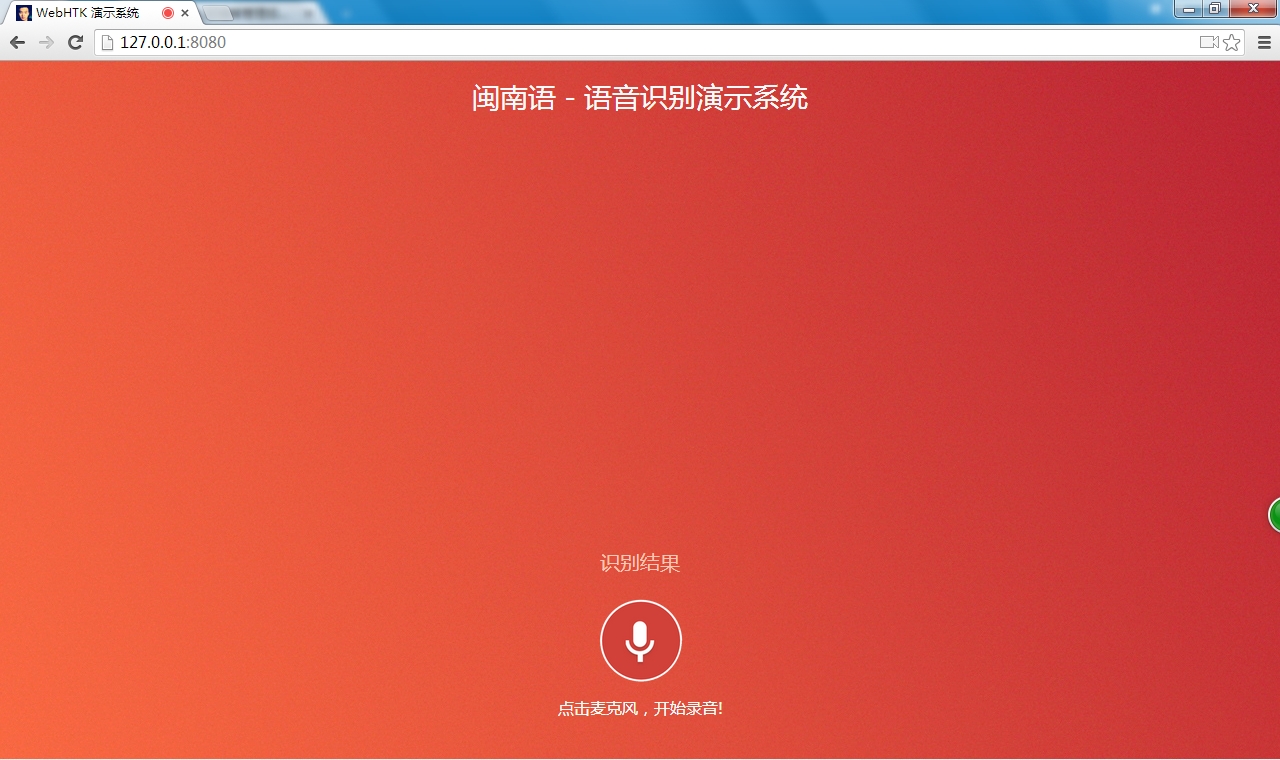
进入页面:
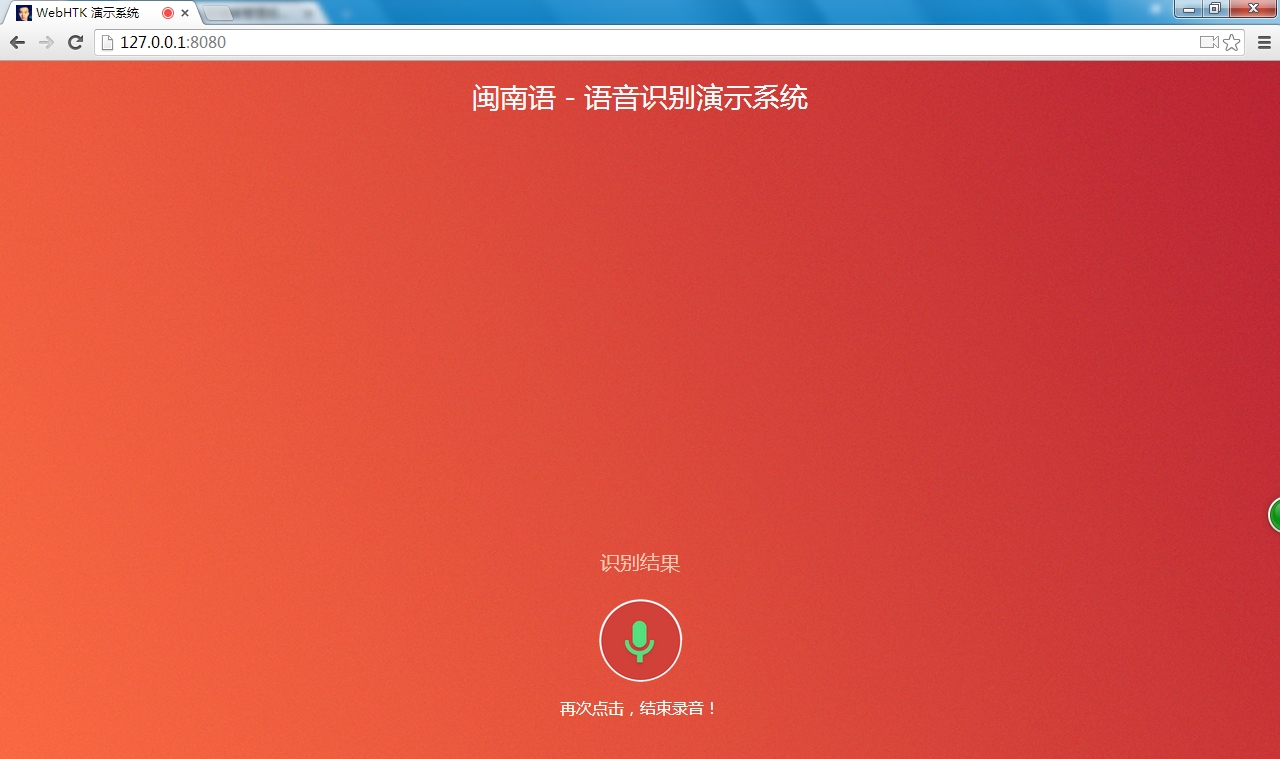
正在录音:
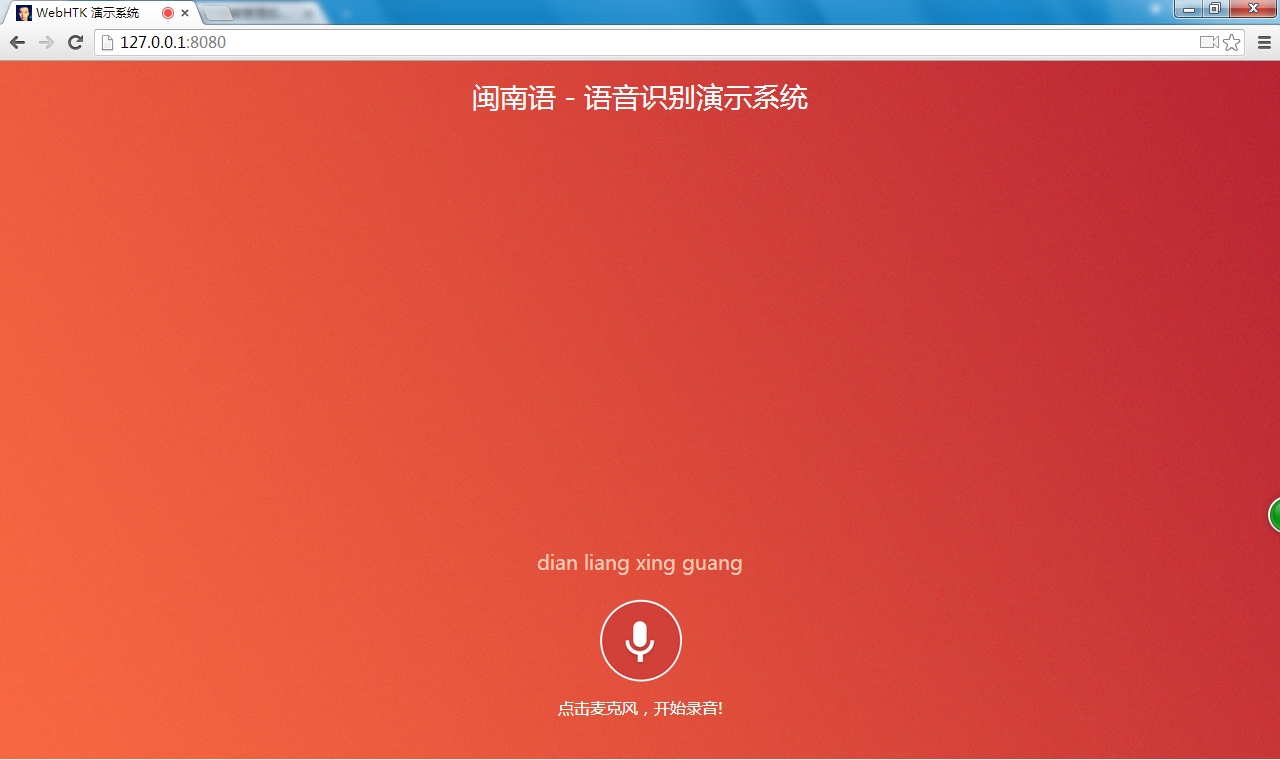
识别结果,目前还为将拼音转换为汉字,下图为“点亮星光”的显示结果图:
© 版权声明
文章版权归作者所有,未经允许请勿转载。
相关文章
没有相关内容!






